External User Delivery for Distribution List (DL) – Recommended Workaround
Scenario
A customer wants to add an external email address (e.g., Gmail, Yahoo, or other domain) as a recipient of a Microsoft 365 Distribution List (DL).
While directly adding external users to a DL is possible, it is not recommended in some environments because it may affect email authentication results such as DKIM alignment and can introduce deliverability or compliance issues.
Recommended Workaround
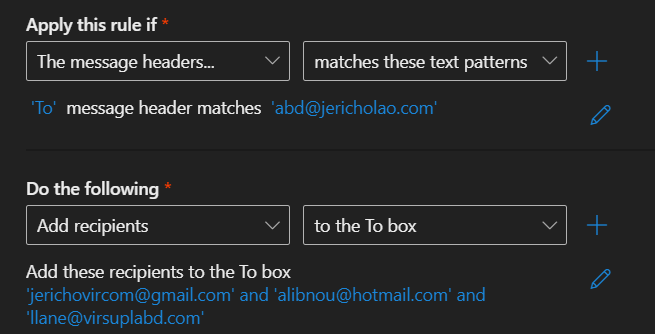
Instead of modifying the DL, use an Exchange Online Mail Flow Rule (Transport Rule) to safely redirect messages.
Configuration Steps
Go to:
Exchange Admin Center – Mail Flow Rules
Then create a new rule with the following configuration:
Rule Name: Redirect DL to External Recipient
Apply this rule if:
The recipient address includes the distribution list (use TEXT pattern):
fallout@jericholao.com
Do the following:
Add a recipient to the message:
jerichovircom@gmail.com
Updated Rule 9/15/2026 - With ABD